Creating and Editing Input Files
Since both the IDF and epJSON file formats are text formats, a simple text editor may be used to edit them. Even if not regularly used, a good text editor is an important application to have when working with EnergyPlus. There are many different text editors, and a few have special features related to the IDF format such as syntax highlighting including Atom, Notepad++, and UltraEdit.
Another editing choice for IDF file is the IDF Editor which comes with EnergyPlus in the \PreProcess\IDFEditor directory and can be run directly or from EP-Launch. It is a Windows-only program and was not designed to run on Linux or MacOS. It is specially designed for editing IDF files and includes many features to simplify the process. It performs unit conversions so either SI (metric) or IP (inch-pound) units can be used for editing but the IDF file is always saved in SI units. It can initialize an input object using the default values and has indications when values outside the acceptable range are used. The main screen of the IDF editor is shown below. Full details of the IDF Editor can be found in the Auxiliary Programs document under the "Creating Input Files" section.
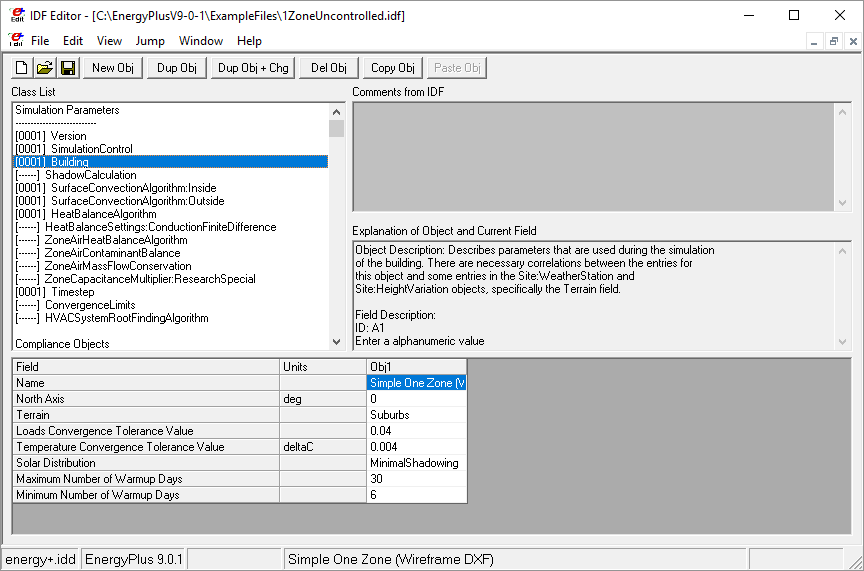
IDF Editor