Schedules
Many aspects of building operation are characterized by timing whether it is the hours that a building is occupied or when the control systems are in various modes. Due to this, specifying when something occurs using the Schedule input objects becomes one of the most common things to do. It is important to coordinate schedules properly. The operation of office equipment in a space usually corresponds to occupancy of that space as does the thermostat set points and fan operation. Because schedules are such a key input for so many features of a building, a great deal of flexibility exists in EnergyPlus to specify them.
- Schedule:Compact - The most commonly used method of specifying schedules and uses "Through" and "For" to reduce the amount of input required.
- ScheduleTypeLimits - Every schedule input object includes a field that helps validate the limiting values for the schedule, and this input object describes the upper and lower limit.
- Schedule:Constant - If the value of the schedule is the same every hour of the year, this input object is the easiest way to specify that value.
- Schedule:File - At times, data is available from a building being monitored or for factors that change throughout the year. This input object allows a column of data from an external file to be referenced as the values of the schedule. A variation of this input object allows input specifically for shading.
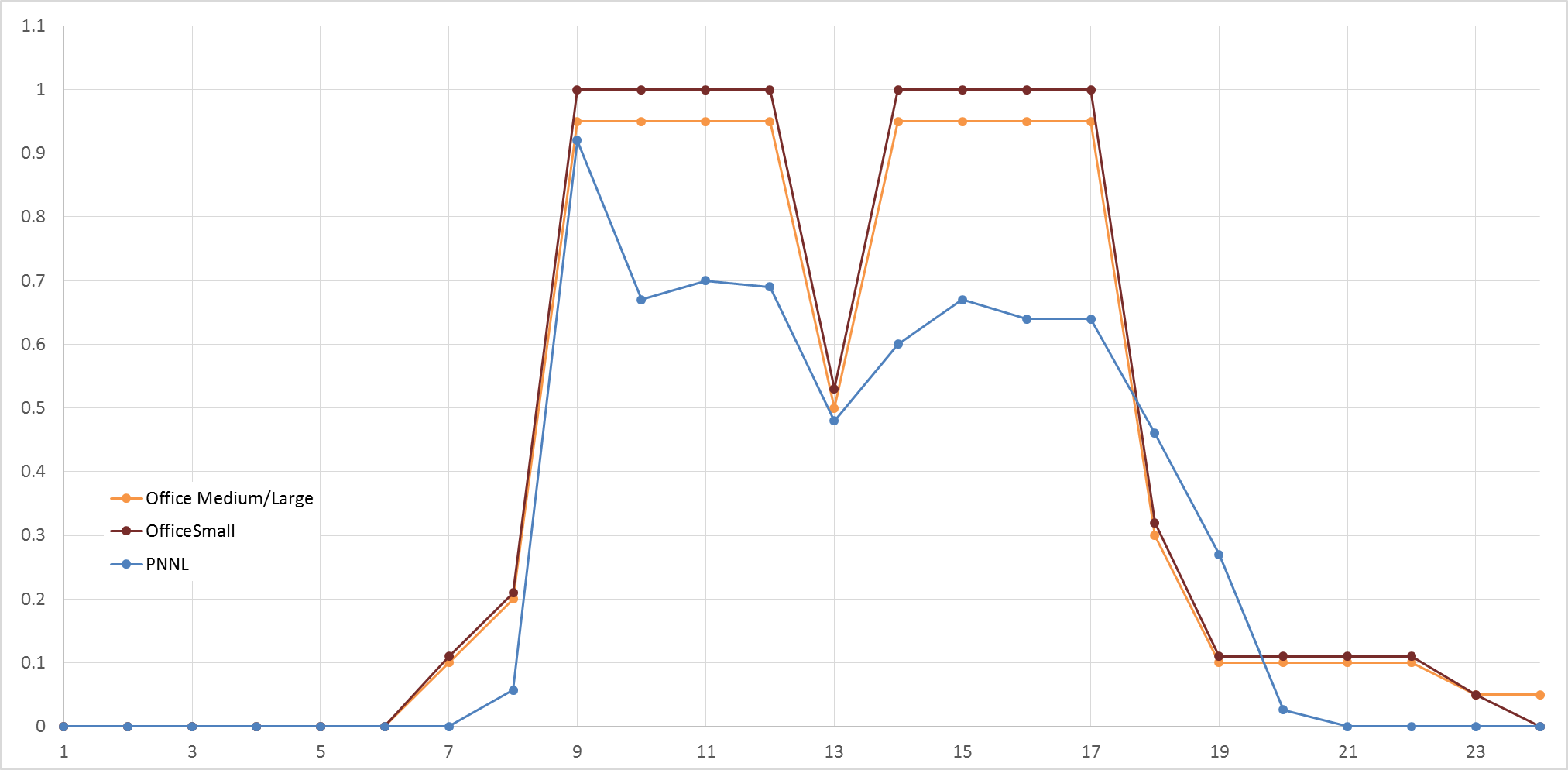
Various Office Schedules
Other input objects in this input group allow specification of schedule values to be in different formats. These input objects and more are further explained in the InputOutputReference under the heading "Group-Schedules."